


Beta verzia novej dokumentácie.
Home Documentation VoIP (Zadarma) Working with the phone Telephone directory
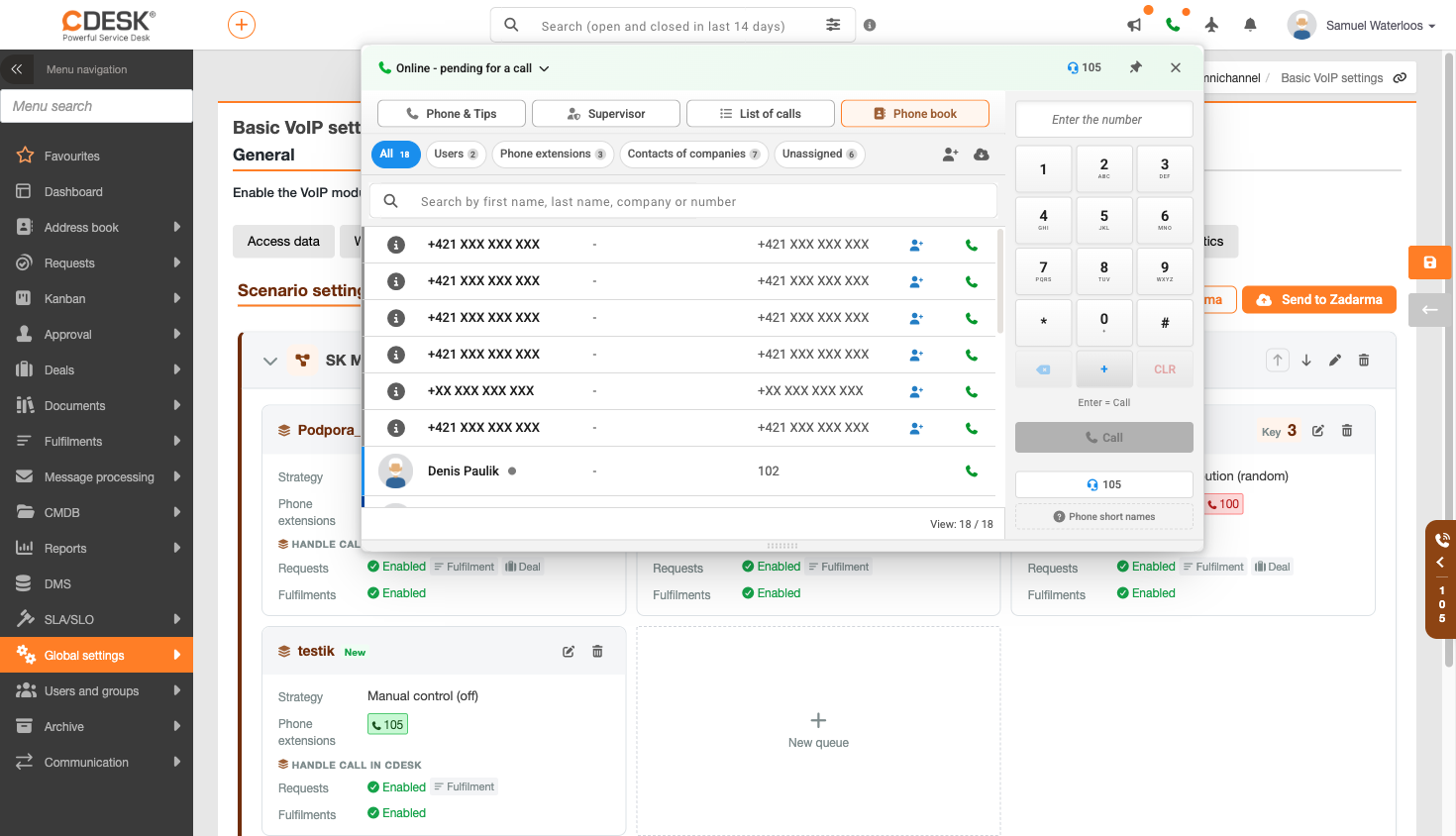
The phone directory brings together all the numbers an operator needs in one place. The search function works as you type and searches by first name, surname, company or number. Records can be filtered by all records, internal CDESK users, company contacts (i.e. external callers), unassigned numbers and internal extensions with selected assignees.
Each row contains an icon indicating the record type, name, company, number and a button to dial. Further records can be loaded using the ‘Load’ button. A new contact can be created directly from the panel, and for unknown numbers, the option to identify them against the telephone directory is available.
Home Documentation VoIP (Zadarma) Working with the phone Telephone directory
Na tejto stránke