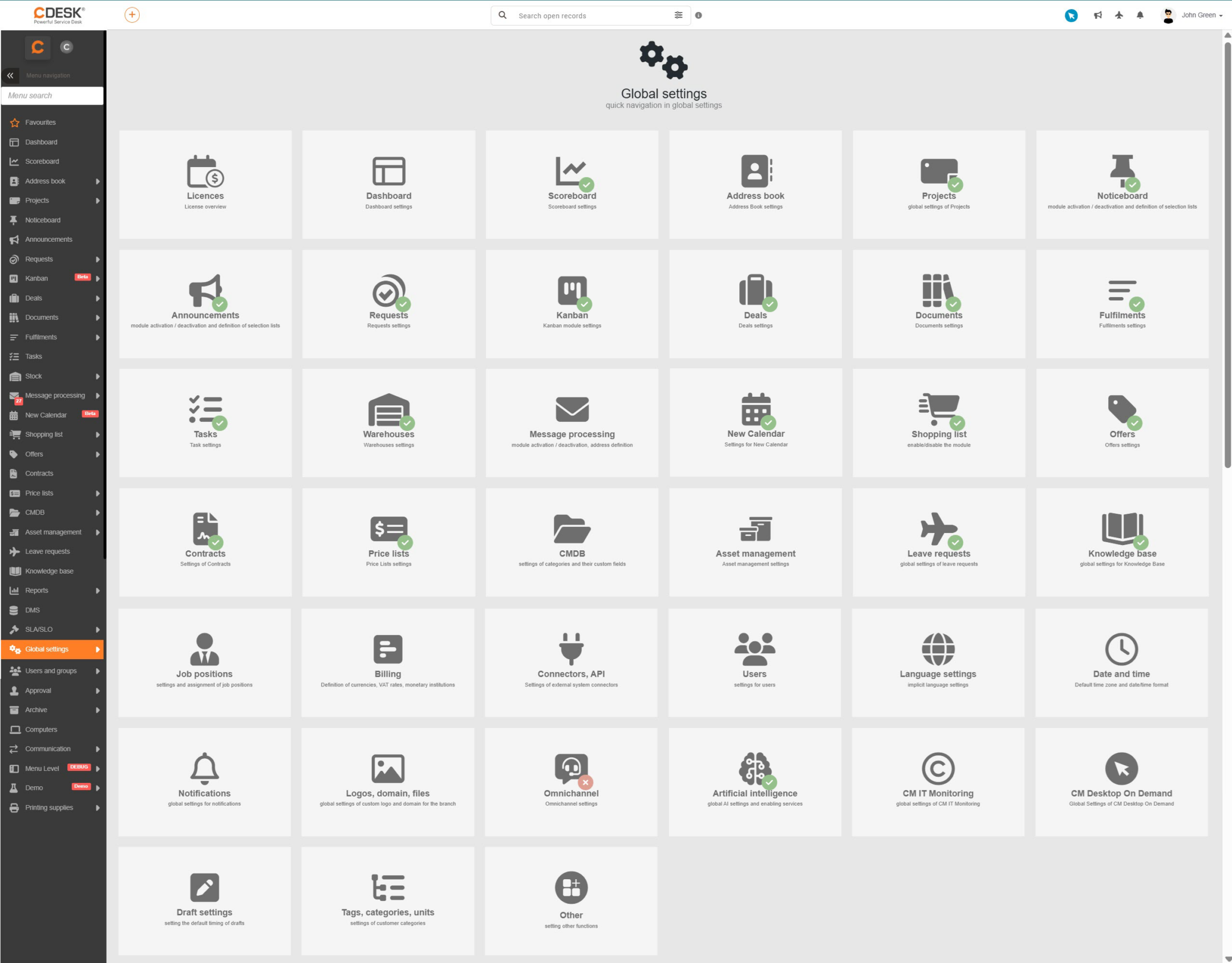
The global settings are the basic mechanism that determines which functionality of the CDESK system will be available to users. While permissions decide who has access to a particular function, the global settings are the first filter – if a function is switched off, it is not displayed to anyone in the system, regardless of the permissions assigned. This mechanism ensures that the system environment stays clear and that users are shown only the functionality actually used in the organisation.
For clarity, the global settings of the system are divided by individual module and are available in the menu under Global settings. Each category of settings is covered in detail in the individual parts of the documentation – according to the module concerned.
Image: Global settings for the individual modules
Was this page helpful?
Thank you for your feedback.
Manage your cookie settings
To provide the best possible experience, we use technologies such as cookies to store and/or access information about your device. Consent to these technologies allows us to process data such as browsing behavior or unique identifiers on this site. Refusal or withdrawal of consent may adversely affect certain features and functions.
Functional cookies
Always active
Technical storage or access is strictly necessary for the legitimate purpose of enabling the use of a specific service explicitly requested by the subscriber or user, or for the sole purpose of transmitting a communication over an electronic communications network.
Preferences
Technical storage or access is necessary for the legitimate purpose of storing preferences that the subscriber or user has not requested.
Statistical cookies
A technical storage facility or access used exclusively for statistical purposes.Technical storage or access used exclusively for anonymous statistical purposes. Without a subpoena, voluntary cooperation from your Internet service provider, or additional records from a third party, information stored or retrieved for this purpose alone cannot usually be used to identify you.
Marketing cookies
Technical storage or access is required to create user profiles for the purpose of serving ads or tracking users on a website or across multiple websites for similar marketing purposes.