


In this part of the documentation we will take you through the basic setting of permissions and access rights in the system, which are key to managing records and access to them effectively. Users’ access to records depends on a combination of two factors – the permissions assigned and the visibility settings. Permissions determine which actions a user can perform with a record (for example create, edit, delete). Visibility, in turn, defines which objects – for example requests, contacts, orders – are displayed to them in the system.
During the initial configuration of the system, permissions are assigned automatically according to the user group the user belongs to. A customer therefore gets a narrower range of rights than an assignee, operator or administrator. This preset of permissions ensures that from the very beginning every user has access only to those functions and records that correspond to their role in the team.
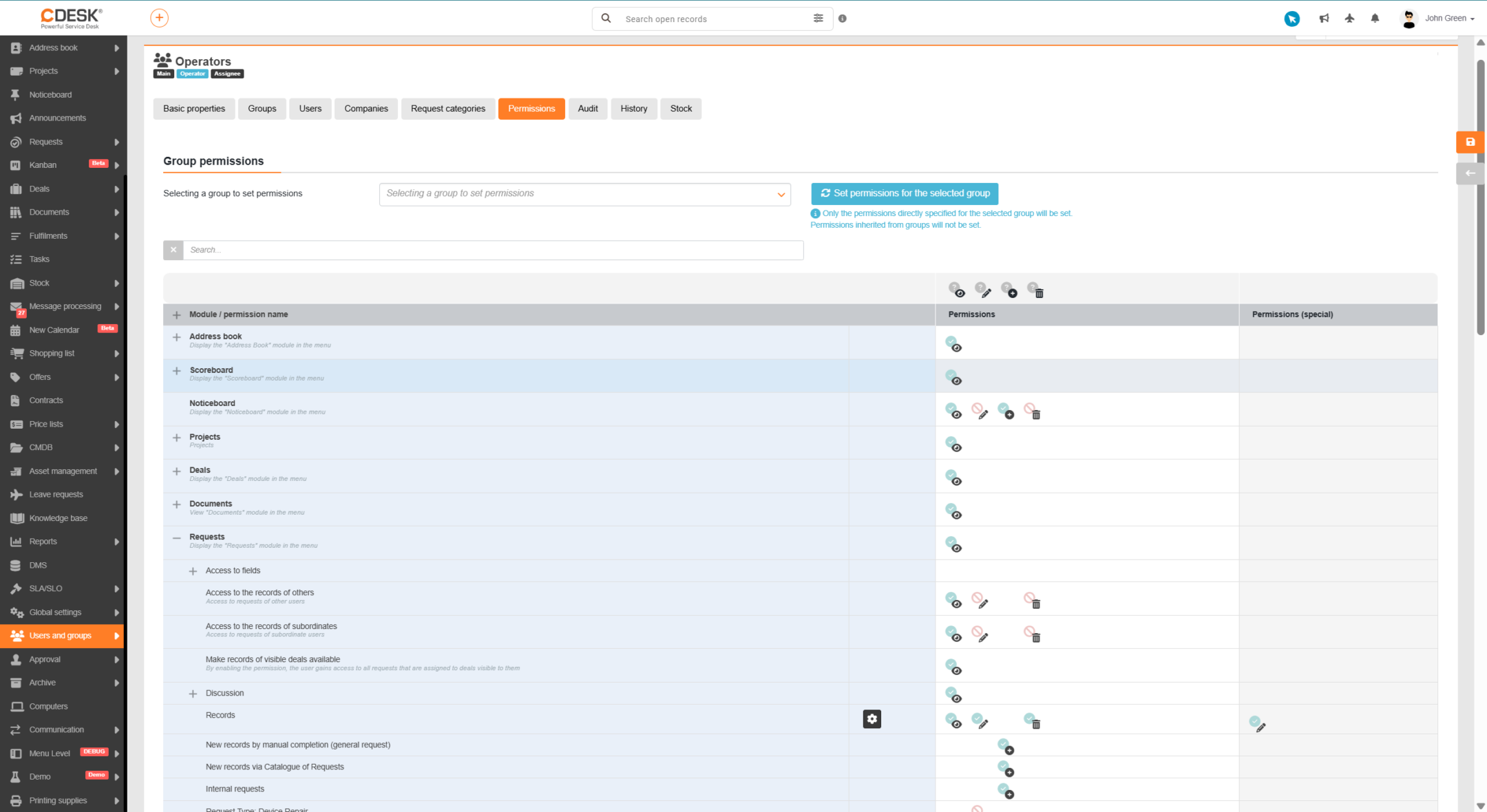
The permissions assigned can be supplemented as you wish according to your needs; we recommend using groups with permission inheritance. You can find details of the range of permissions for individual modules in separate parts of the documentation, for example Permissions and access to requests.
Default permissions of the system user groups
The basic set of permissions is configured so that every user, even one with a free licence, has the option of reading records in the system. A user can therefore view any objects in CDESK, for example requests, discussions or other related information.
Some powerful functions, however, are intended for paid licences. For example a customer with a free licence does not have access to certain fields – that access can, however, be added afterwards.
Another group of restrictions concerns functions directly connected with charging for services – for example recording a fulfilment, a leave request, a loan request or approval functions for a customer account. In paid assignee licences these functions are included automatically, with no additional charges.
Overview of the basic permissions by user group:
An initial set of permissions aimed primarily at reading records; in some cases writing can also be allowed
A minimalist set of permissions aimed at making the records assigned to them, and the information related to those records, available
Access to their own records as well as other people’s, with the option of creating, editing and deleting
Access to all records and functionality, without restrictions.