


Beta verzia novej dokumentácie.
Home Routine and planned work Regular requests Performance report templates for fulfilments
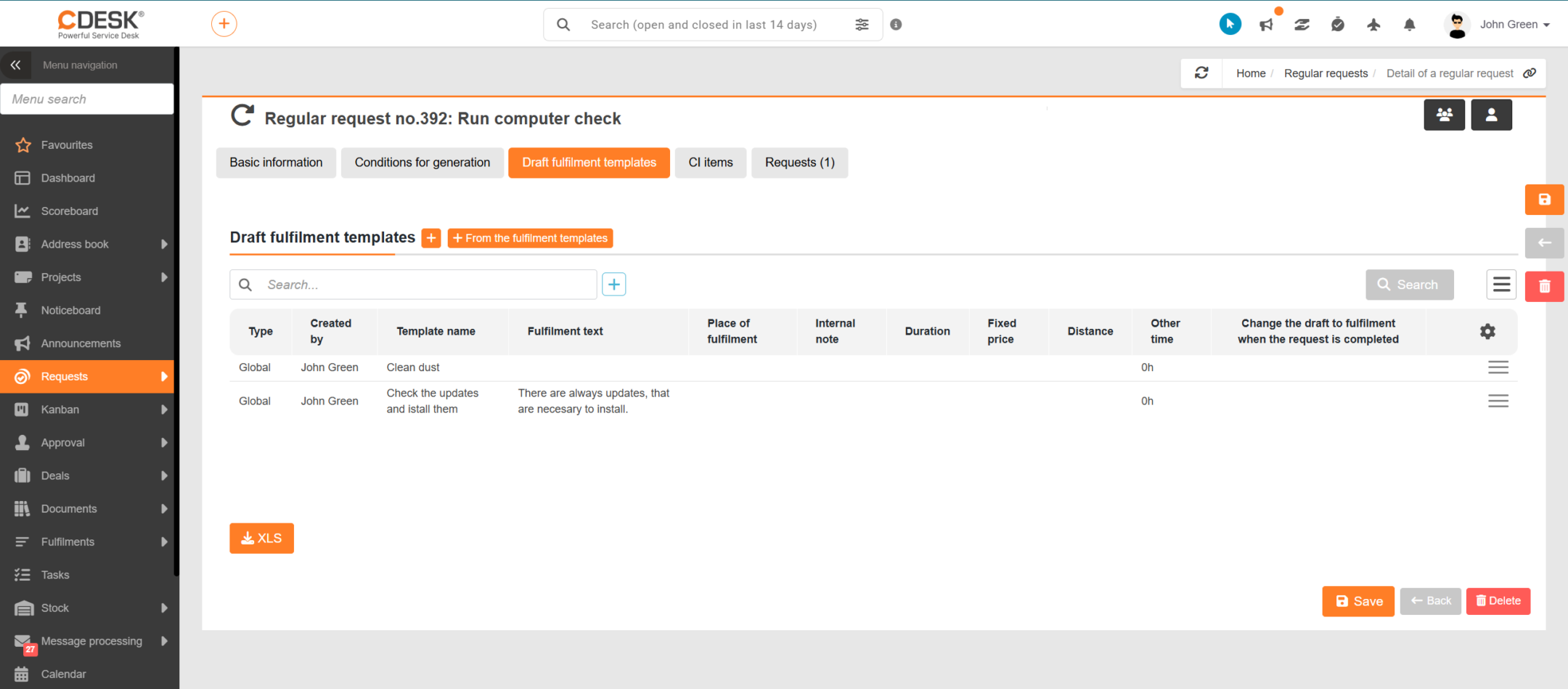
For regular requests, it is possible to prepare draft fulfilment templates in advance. Each time a request is automatically generated, these templates are used to create draft fulfilments – pre-prepared fulfilments which the assignee can then complete and confirm, without having to start from scratch. This is particularly useful for recurring tasks involving a similar range of jobs, such as routine maintenance.
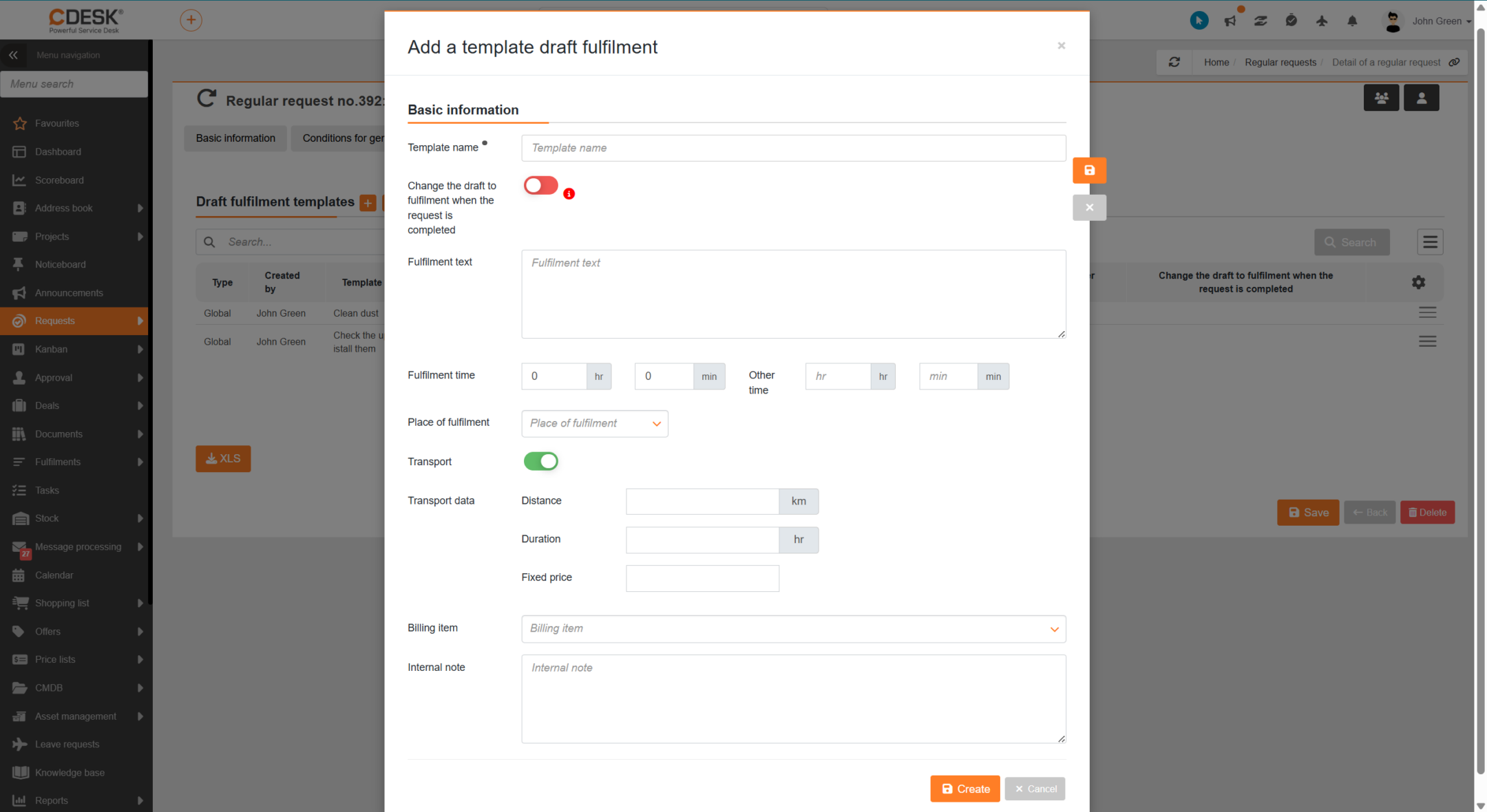
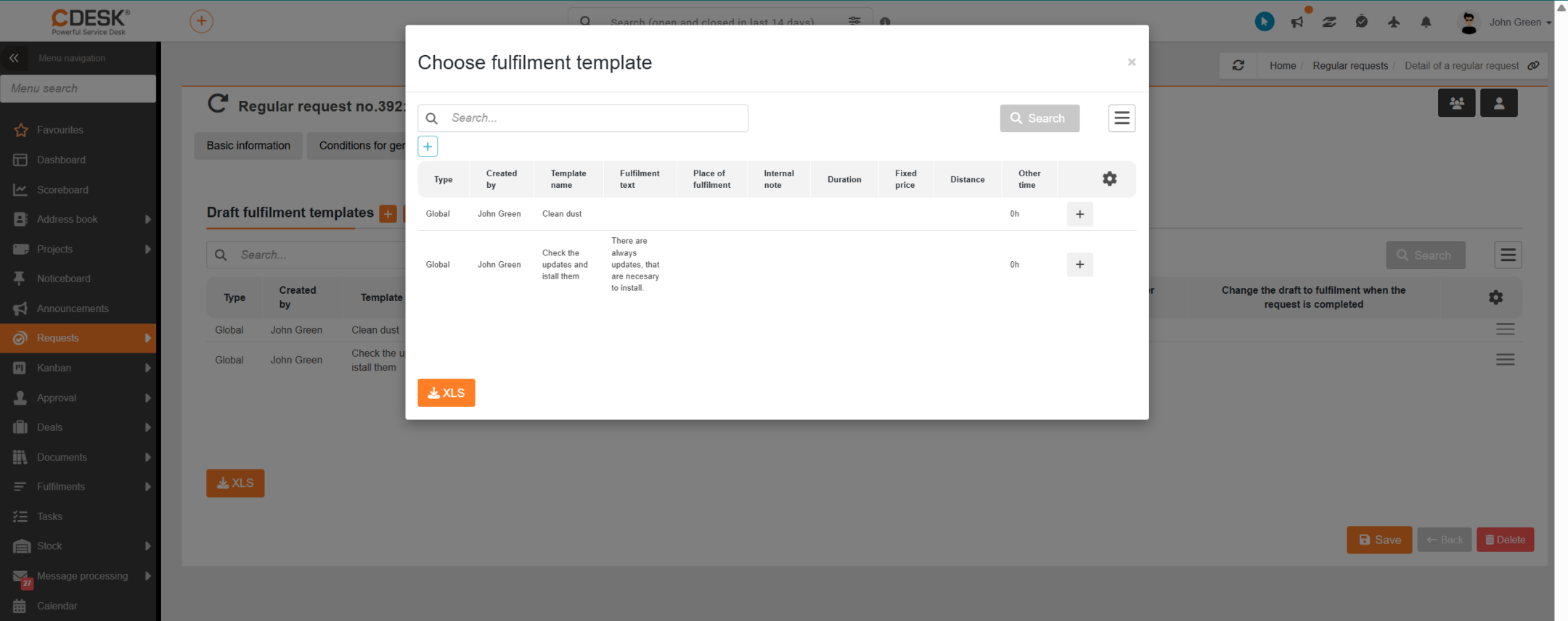
Templates are configured in the regular request form on the ‘Draft Fulfilment Templates’ tab. There are two ways to add them:
An accounting entry can be assigned to each template, which is then carried over to the created fulfilment draft, meaning that the basis for accounting is prepared in advance.
When a specific request is generated, CDESK automatically creates fulfilment drafts for that request from the assigned templates. The draft is linked to the generated request and an assignee (the assignee or, where applicable, a group of assignees from the request) is assigned to it.
Note: The ‘Draft Fulfilment Templates’ section is only available when accessing fulfilment templates (private or global). If it is not displayed, please check the relevant permissions.
Home Routine and planned work Regular requests Performance report templates for fulfilments
Na tejto stránke