



Beta verzia novej dokumentácie.
Home Documentation Notifications Basic notifications Notification templates
In the basic notifications module, the assignee notification cannot be customised by users – the default template is always used. For customer notifications, you can create your own template and then select it in the notification settings, only for the Requests module.
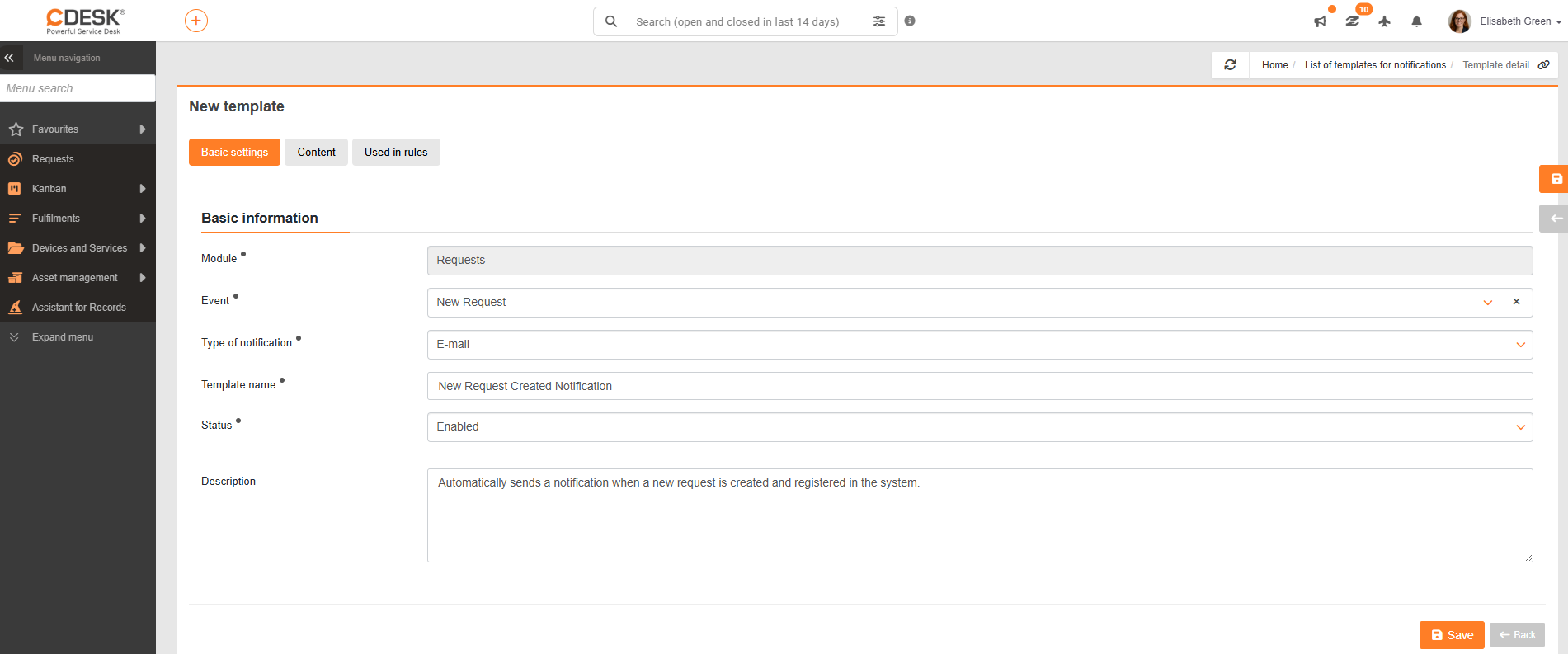
A custom customer notification template can be created under Global Settings → Notifications → Notification templates for basic settings by clicking the + Add template button. After clicking, a form is displayed for filling in the attributes of the new notification template.
The basic data tab is used to specify the notification in more detail. The mandatory fields are:
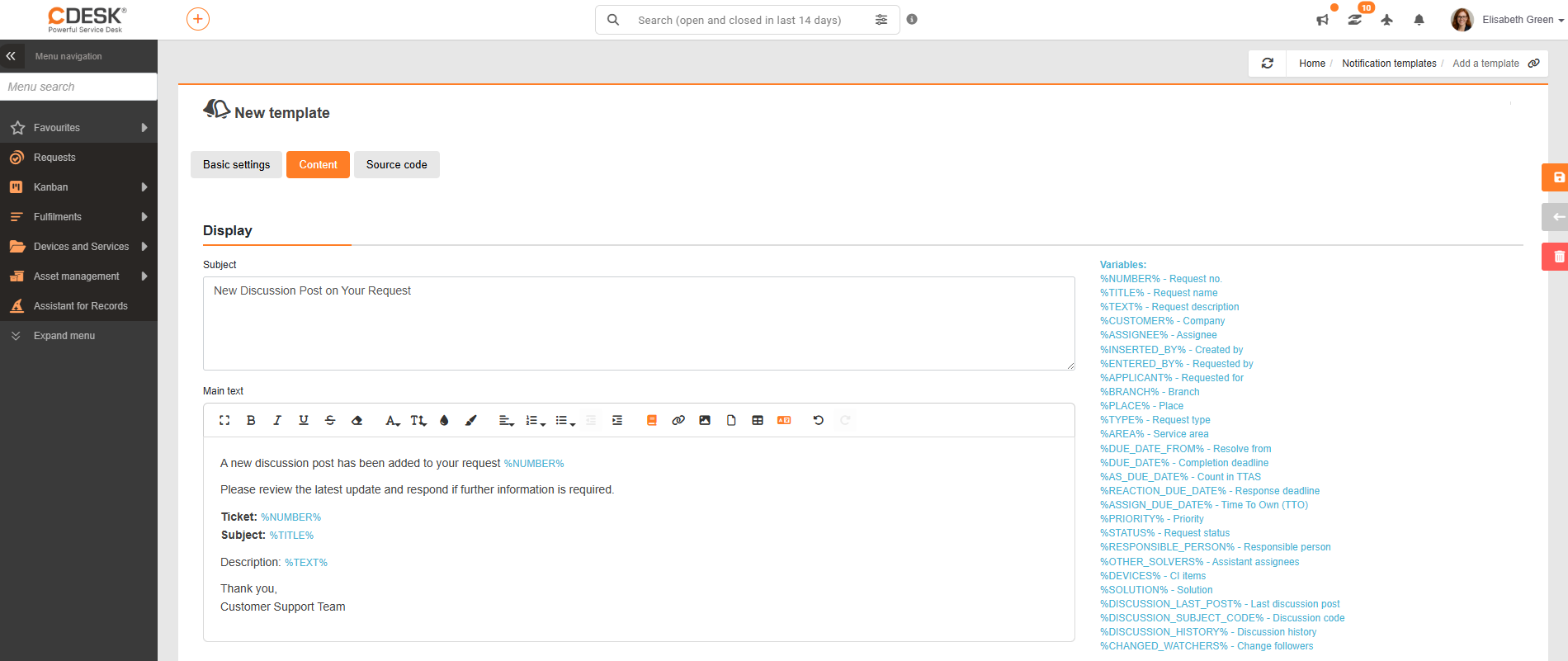
The Content tab, when creating a new template, lets you create the message subject and body. In both fields you can enter plain text, but also insert variables, which are specified for the given module on the right. Variables must be entered with the correct upper or lower case so that the variable is displayed correctly in the notification sent.
The text in the message body can be edited with the standard basic text editing functions.
Below the text field are settings that can be turned on or off according to the user’s preference.
When creating a new template, the process has to be completed by clicking the Create button. Every change has to be saved with Save.
The Source code tab lets you adjust the look and structure of the e-mail notifications being sent. It is an advanced setting that lets you customise the visual form of the notification, for example text formatting, content layout or the structure of the HTML template.
Since changes to the source code directly affect how the resulting e-mail is displayed, it is recommended that they be made only by experienced users or administrators with knowledge of HTML and of how e-mails are rendered in different e-mail clients.
An unqualified intervention can have a negative impact on how the notification is rendered, including problems with displaying the content, a broken layout or incompatibility with some e-mail clients.
Home Documentation Notifications Basic notifications Notification templates