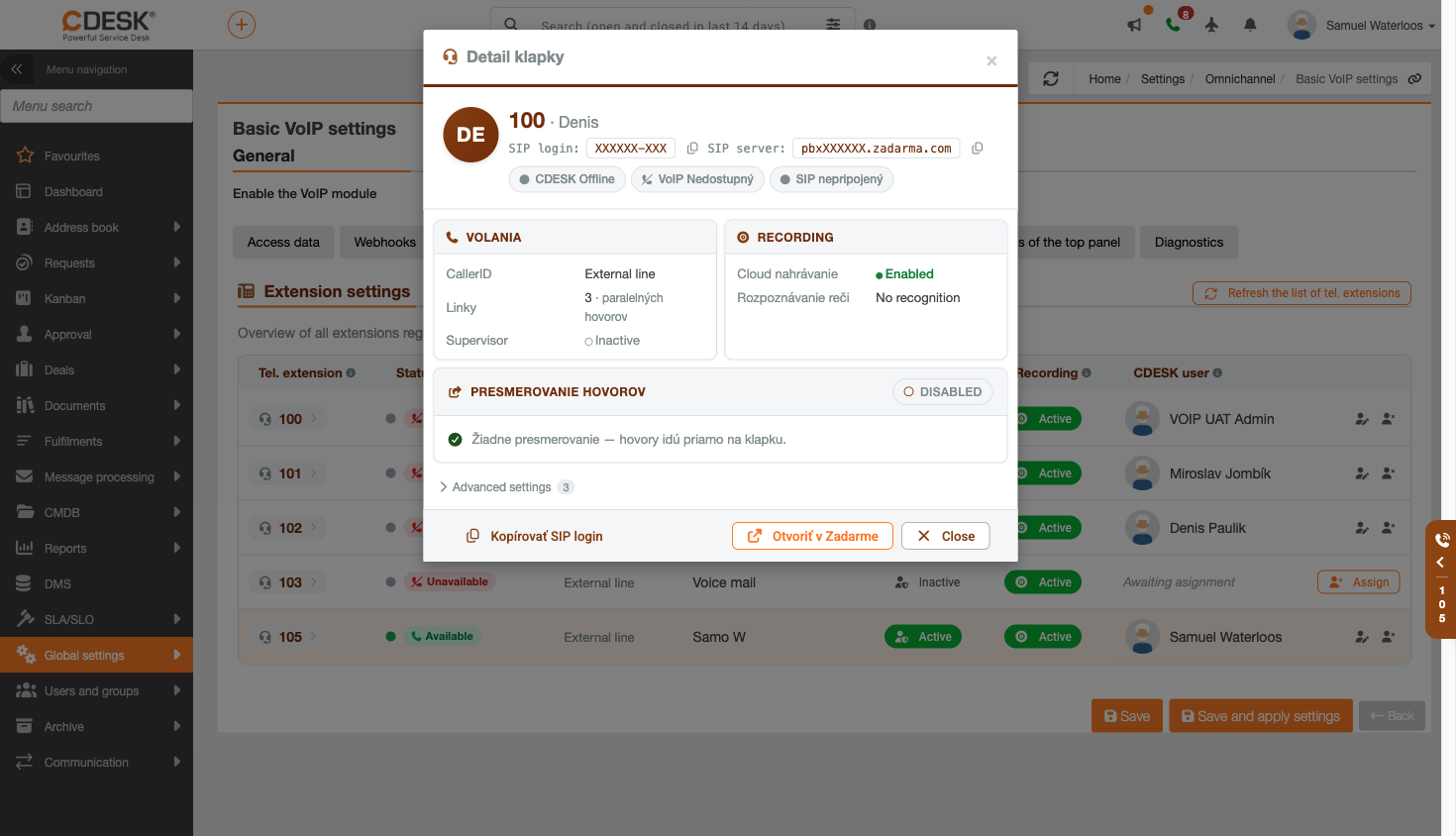
Extensions are loaded from the Zadarma switchboard; they are therefore not created in CDESK. The task of this tab is to assign extensions to specific CDESK users and to configure call recording and supervisor mode for them. Click the ‘Renew Extension List’ button to force the list to be reloaded, including registration flags.
The list contains the following details for each extension:
- Extension and Extension Number – the extension’s identification in the switchboard, together with an indicator showing whether the extension is registered.
- Number – the number viewed by the called party. This may be blank.
- Extension name – the name set in the Zadarma switchboard. This can only be changed directly in the Zadarma administration; in CDESK, the field is read-only.
- CDESK status – a green dot indicates that the operator assigned to the extension is logged in to CDESK; a grey dot indicates that they are not logged in.
- VoIP status – the ‘Available’ label means that the operator has an active VoIP panel and is able to receive calls via CDESK; ‘Unreachable’ means that they are not in CDESK or their phone is disabled.
- Supervisor – use the Active/Inactive toggle to enable supervisor mode for the extension, which allows you to listen in on and prompt calls in real time.
- Recording – use the toggle to enable or disable cloud-based call recording for the extension. More detailed settings can be found in the extension details.
- CDESK user – the user assigned to this extension. This assignment can be added, changed or cancelled.
Please note: The ‘CDESK status’ column reflects only whether the user is logged into CDESK. It does not indicate whether the operator has the Zadarma mobile or desktop app running – the extension may therefore actually be available even when the status shown here is ‘Offline’.
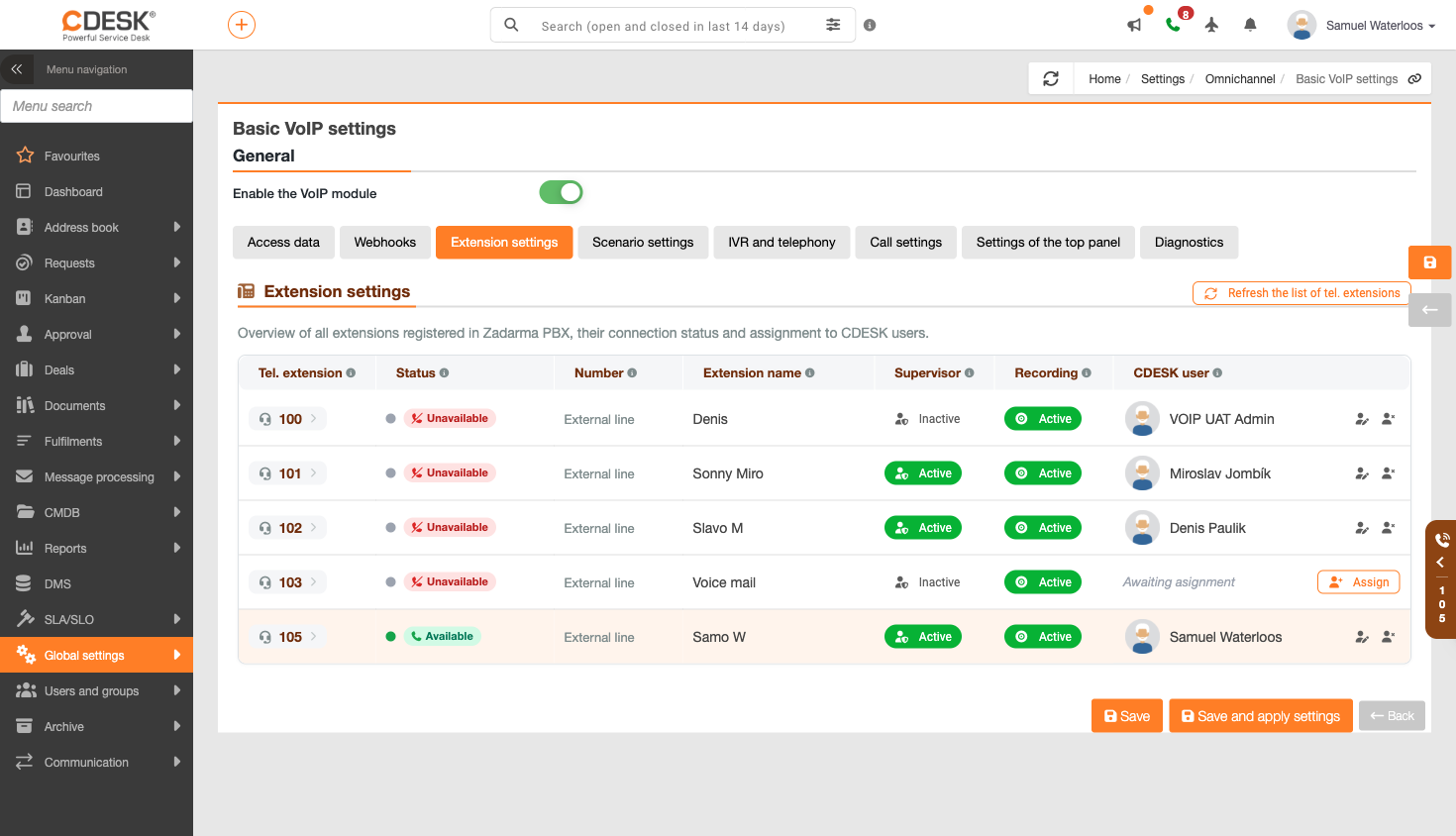
Clicking on an extension opens its details page, which views data from the PBX. Here you will find the SIP login and SIP server details, which you can copy and which you need to register an external softphone or web phone. You’ll also find the extension’s status indicators – whether the operator is in CDESK, whether they can receive calls, whether the extension is registered on SIP, whether call forwarding is active, and whether supervisor mode is enabled.
In the recording section, you can see whether cloud recording is enabled, what type of speech recognition is set (automatic, manual or no recognition), and to which email address the recordings are sent. Call forwarding includes the destination telephone number and the condition ‘Always’ or ‘If not answered’; if this is not set, calls go directly to the extension. Additionally, the details show the quantity of concurrent calls and advanced Caller ID settings.
The details also include a section for the CDESK user – their login, full name and email address – so it is clear who the extension belongs to. If an operator extension in Zadarma is set to be forwarded to voicemail, the details will display a warning. This is a common reason why a call seems to go straight to voicemail or why double call forwarding is withdrawn.