


You can edit existing inventories by double-clicking the relevant row or by selecting Edit from the context menu  . You can create a new inventory by clicking + Add.
Beta verzia novej dokumentácie.
Home Asset Register Inventories List of inventories
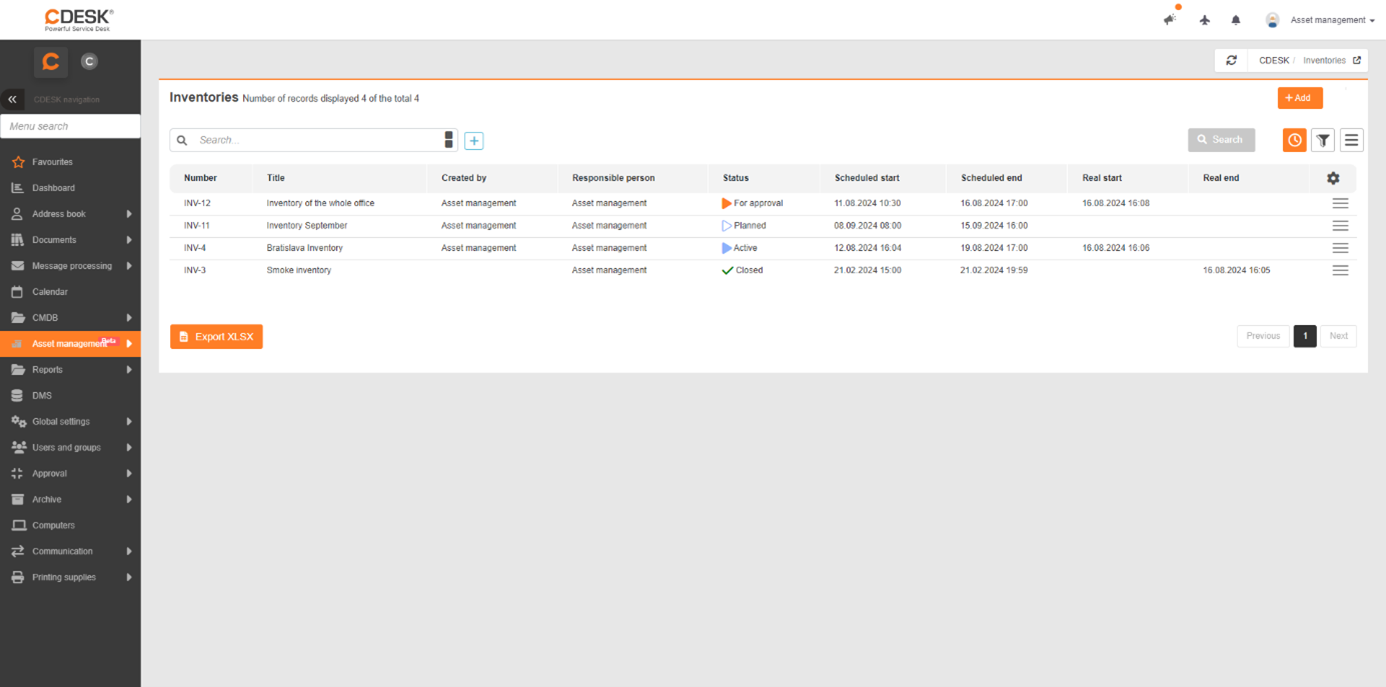
You can view a list of existing inventories via the main menu: Asset Management → Inventories. If the inventories do not appear in the menu, check the permissions in the section Users and Groups → Users → specific user → Permissions tab → Asset Register → Inventories. Filters and column editing work here the same way as in Asset List.
You can edit existing inventories by double-clicking the relevant row or by selecting Edit from the context menu . You can create a new inventory by clicking + Add.
Just like in the asset list, you can also export this data to XLSX. Select the columns you want to export and click the Export button.
Home Asset Register Inventories List of inventories
Na tejto stránke