


Beta verzia novej dokumentácie.
Home Asset Register Inventories Approval of the inventory
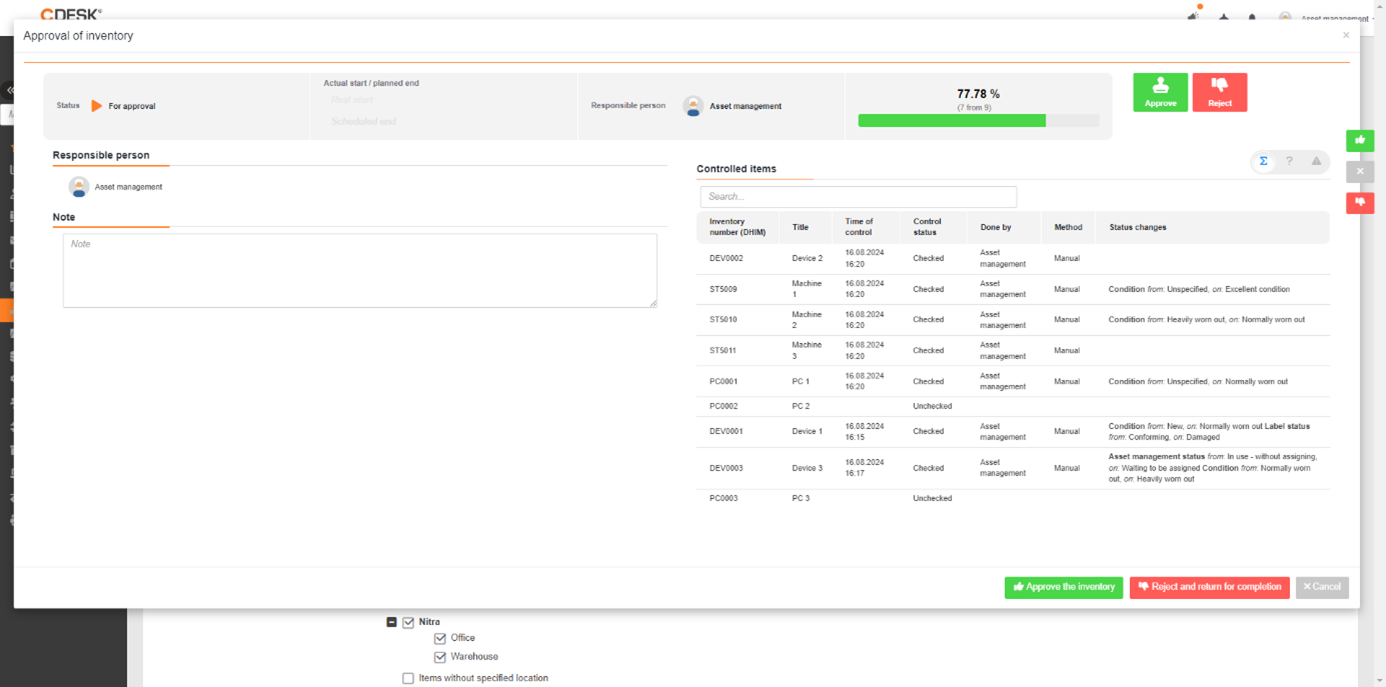
The inventory can only be approved after all inventory orders included in the inventory have been approved. To approve the inventory, use the Approve inventory button, located on the Basic data tab. Clicking the Approve inventory button opens a window with the complete list and information about the items and their status after the inventory. You can also enter a note in the left pane. You can edit the note later in the report list. Deny the inventory by clicking the Deny button. After denying the inventory, you can open inventory orders for replenishment.
Home Asset Register Inventories Approval of the inventory
Na tejto stránke