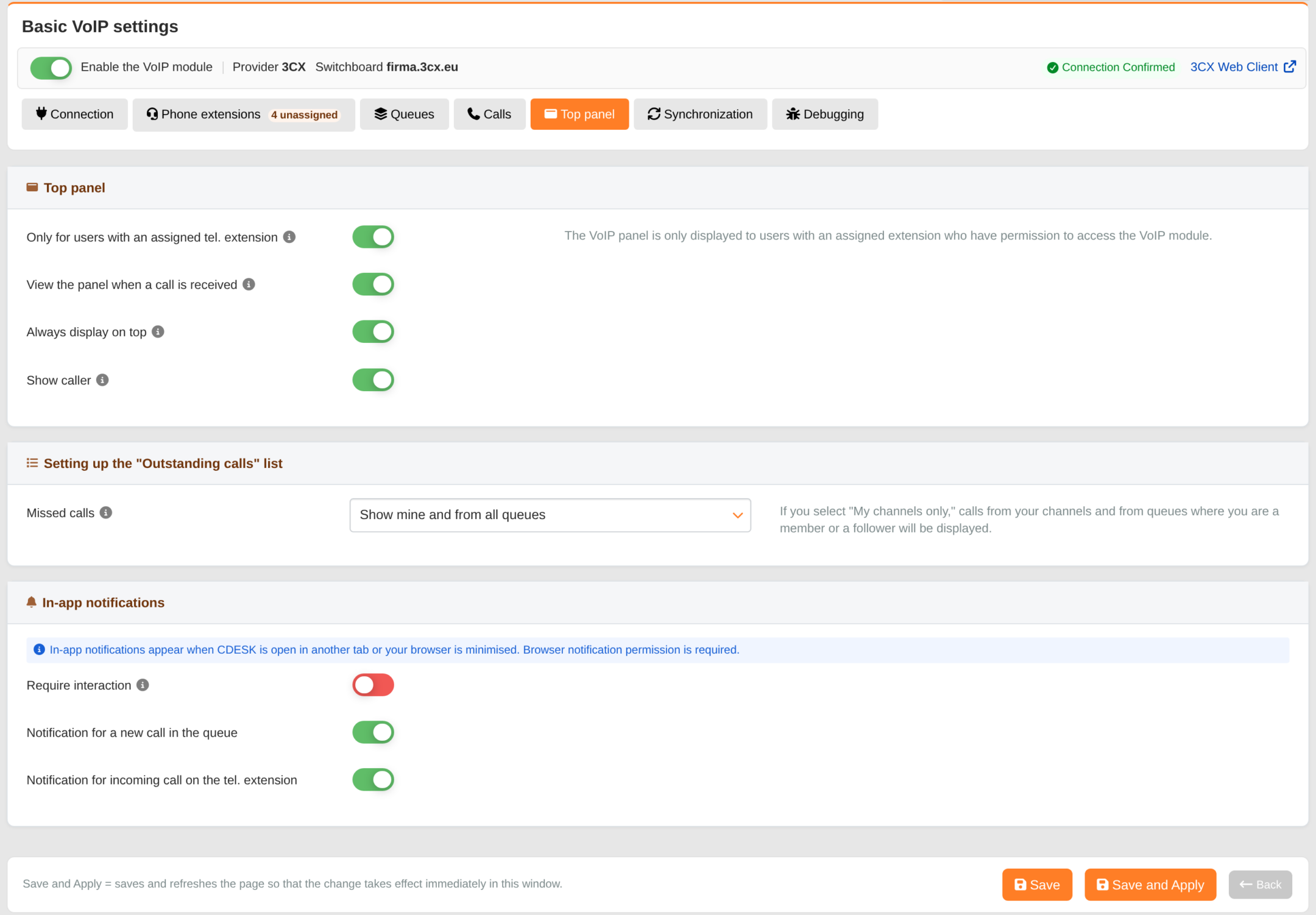
The top panel is where an operator in CDESK can view their calls. The ‘Top Panel’ tab is used to configure who can see it, how it behaves during a call, which outstanding calls the operator can see, and what notifications they receive.
For users with an assigned extension only – the panel is only displayed to users who have been assigned an extension. If this option is disabled, all users with permission for the VoIP module will see it. Enabled by default.
View panel when a call is answered – when an operator answers a call, the panel opens with a form for handling the call. Enabled by default.
Always on top – the panel is pinned by default. A pinned panel will not close if you click outside it. This applies only to operators who have not changed the pinning setting themselves – their preference takes precedence. Disabled by default.
View caller – whilst the phone is ringing, a tooltip showing who is calling appears in the panel. If this option is disabled, the ringtone is indicated only by the indicator on the telephone button. Enabled by default.
Missed calls (in the ‘Outstanding Calls’ settings section) – which missed calls the operator sees in the Outstanding Calls list:
Do not display,
View my own and those from groups I’m a member of – my extensions and groups where the extension is a member,
View only my own extensions and queues from groups I follow – my extensions and queues where I am a member,
View my own extensions and all queues.
In-app notifications
Browser notifications will be displayed when you have CDESK open in another tab or when your browser is minimised.
Require interaction – the notification remains on screen until the operator closes it or clicks on it. Disabled by default.
Notification for a new call in a queue – notice for a call from a queue: it rings on your extension from the queue or goes on hold in a queue of which you are a member or listener. Enabled by default.
Notification for an incoming call to an extension – a notice for a call ringing directly on an operator’s extension (not via a queue). Enabled by default.
For notifications to be viewed, they must also be enabled in your browser and operating system. CDESK will ask for permission the first time a notification rings. If you reject it, it will not ask again.