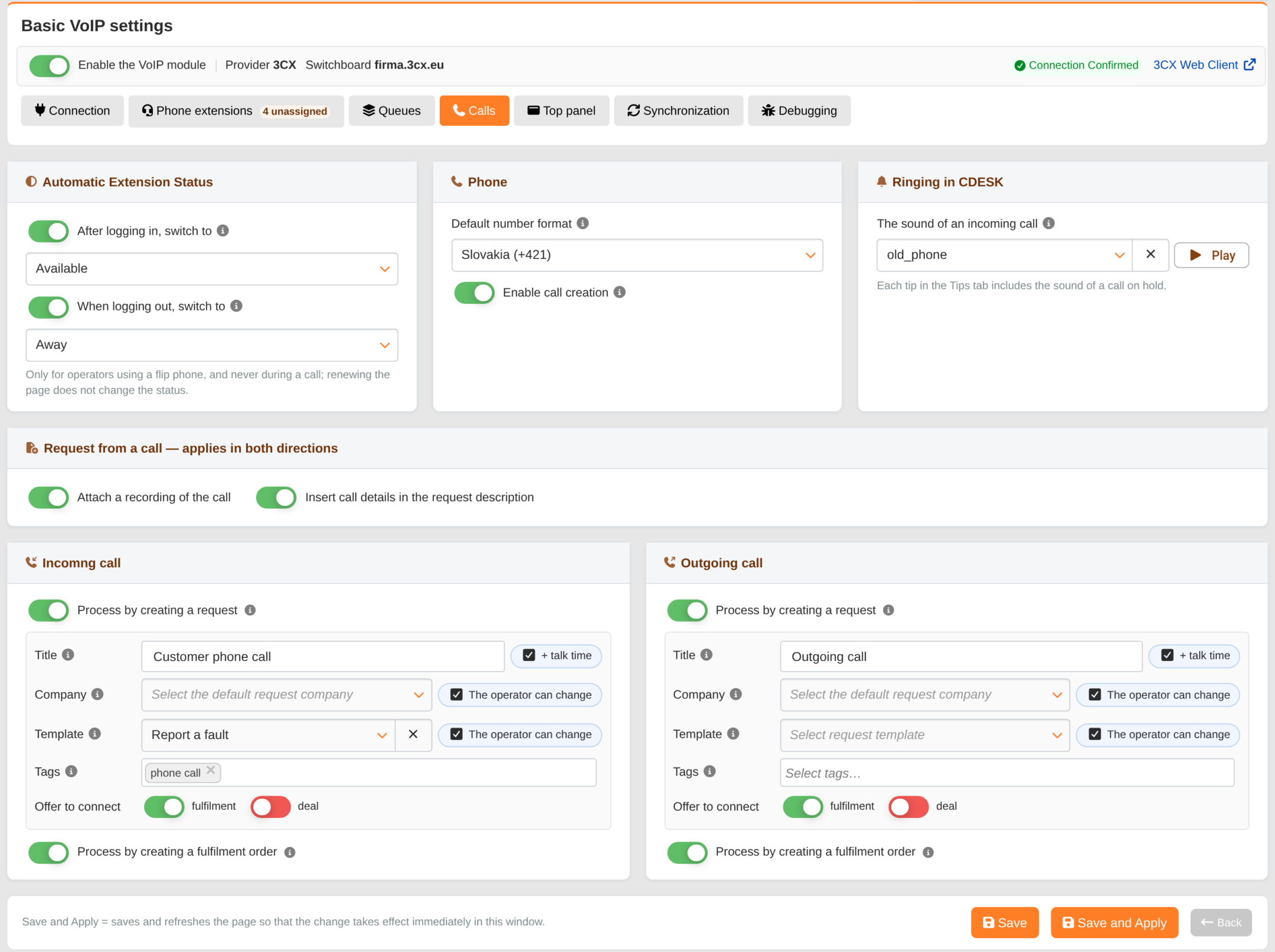
The ‘Calls’ tab contains settings that apply to telephony as a whole – the extension status when logged in, ringtones in CDESK, and how to handle calls that do not go through any queue.
Automatic extension status
After logging in, switch to – the status to which the extension on the PBX switches when the operator logs into CDESK: Available, Away or Do Not Disturb. The menu contains only the statuses available for each extension – 3CX’s custom statuses are not included. Once the toggle is enabled, selecting a status is required.
When logging out, switch to – the status to which the extension switches when logging out of CDESK.
The status can only be changed by an operator using a handset, and only when the actual status of the extension in the switchboard is different – never during an ongoing or ringing call. Renewing the page does not change the status, and when logging out, the status changes only if the operator logs out themselves. Closing the browser or the session expiring does not change the status. Similarly, closing the 3CX web client does not change the extension’s status in the PBX. Both options are disabled by default.
Telephone
Default country code – the prefix used to complete numbers entered without a country code: Slovakia (+421), the Czech Republic (+420), Poland (+48), Hungary (+36), Austria (+43) or Germany (+49). The number is saved in international format. If no country is selected, Slovakia is applied by default.
Enable call initiation – allows calls to be made from CDESK; enabled by default. If disabled, operators can only make calls from their own devices, and any attempt to dial from CDESK will result in the message “Making calls from CDESK is disabled in the VoIP settings”.
Ringtones in CDESK
Incoming call sound – the sound used by CDESK to repeatedly make an announcement to the operator that a call is ringing on their extension. You can listen to it by pressing the ‘Play’ button. It is not selected by default – without it, CDESK will not make an announcement about the call with a sound. The call itself rings on the device or in the 3CX app; the sound in CDESK is merely a warning. The sound for a call waiting in a queue is set for each queue in the Queues tab.
Request made during the call
Attach a call recording – the call recording will be attached to the request created from the call, as well as to any existing request to which the operator assigns the call. Only recordings that have already been made available by the switchboard will be attached – 3CX publishes them with a delay, so an attachment may not be created for a call processed immediately after it ends. The recording can be played back in the call list.
Insert call details into the request description – the called queue, contact, telephone number, date, time and duration of the call are added above the operator’s text.
Both options apply to both incoming and outgoing calls and are enabled by default.
Incoming and outgoing calls
An incoming call is a call that was not received from the queue. An outgoing call is a call dialled by the operator (the form appears once the called party answers). The following settings are configured separately for each direction:
Handle by creating a request (enabled by default) – Name (blank = template name, option + call duration), Company and Template (the operator can change these for each call), Tags and Offer to link to a fulfilment or order (order only when orders are enabled).
Handle by creating a fulfilment (enabled by default).
The meaning of the fields is the same as for queue settings.