


Beta verzia novej dokumentácie.
Home VoIP (3CX) Using your mobile phone Supervisor mode
Supervisor mode is intended for team leaders. It displays on a single screen what is currently happening on the telephone across the entire environment, not just within one’s own department: how many calls are pending, who is on the phone, and which agents are online. This mode is read-only.
The Supervisor tab is viewed in the top panel for users with ‘Access to third-party calls’ authorization (Omnichannel → VoIP, read permission) or for operators whose extension in 3CX has the role of Supervisor, Department Administrator, Manager, Owner, System Administrator or System Owner (the ‘Role in 3CX’ column in extension settings). Changes to permissions take effect without refreshing the page; changes to roles in 3CX take effect within a few minutes. The tabs are only accessible when not handling a call.
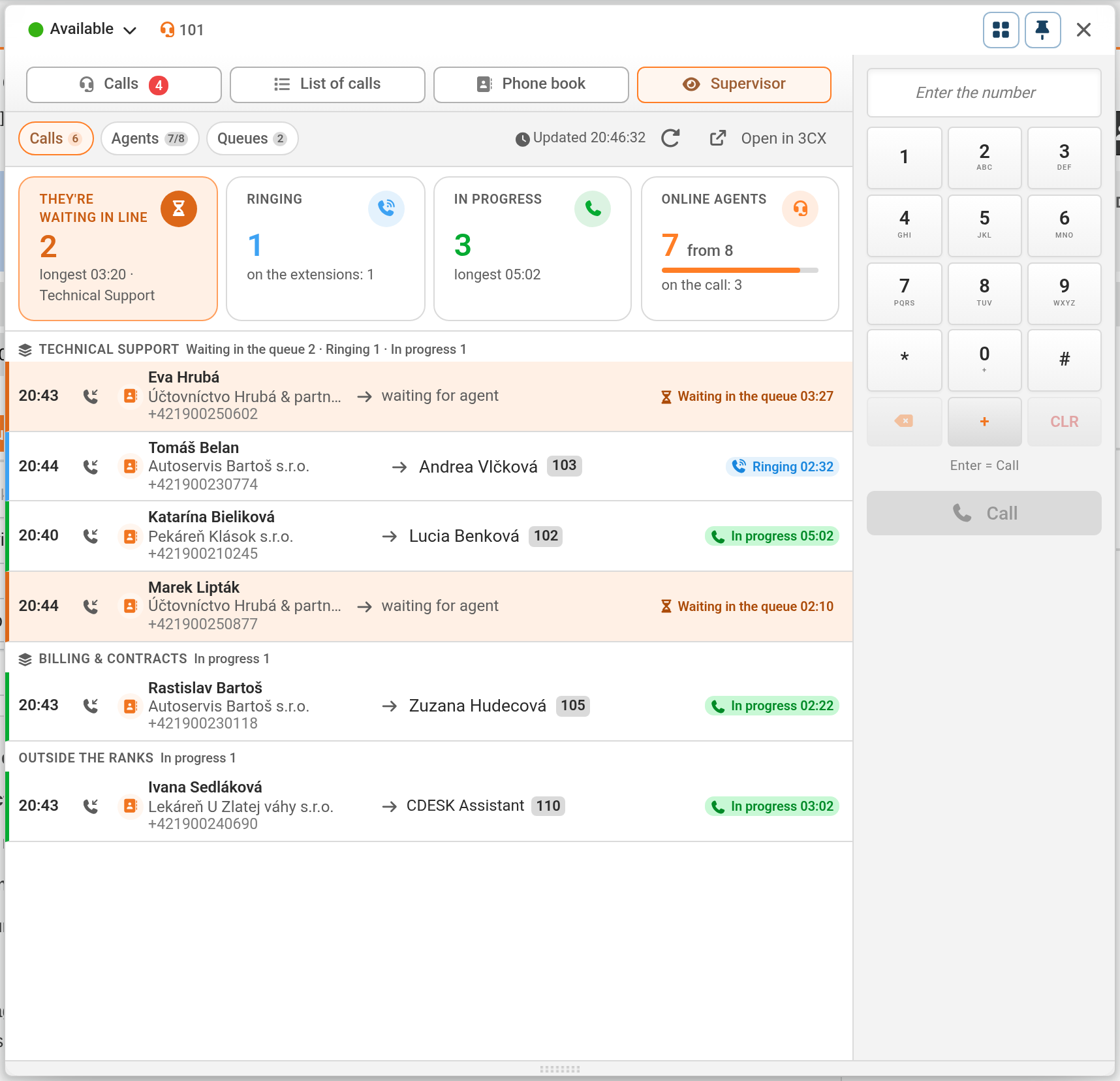
Calls – above the list are four summary tabs: Queued (number and longest wait time, including the name of the queue), Ringing (quantity of calls and on how many extensions), In Progress (quantity and longest call) and Online Agents (registered extensions out of the total number and how many are on a call). Below these are active calls organised by queues (others in the ‘Outside queues’ group) with the status ‘Pending’, ‘Ringing’ or ‘In progress’.
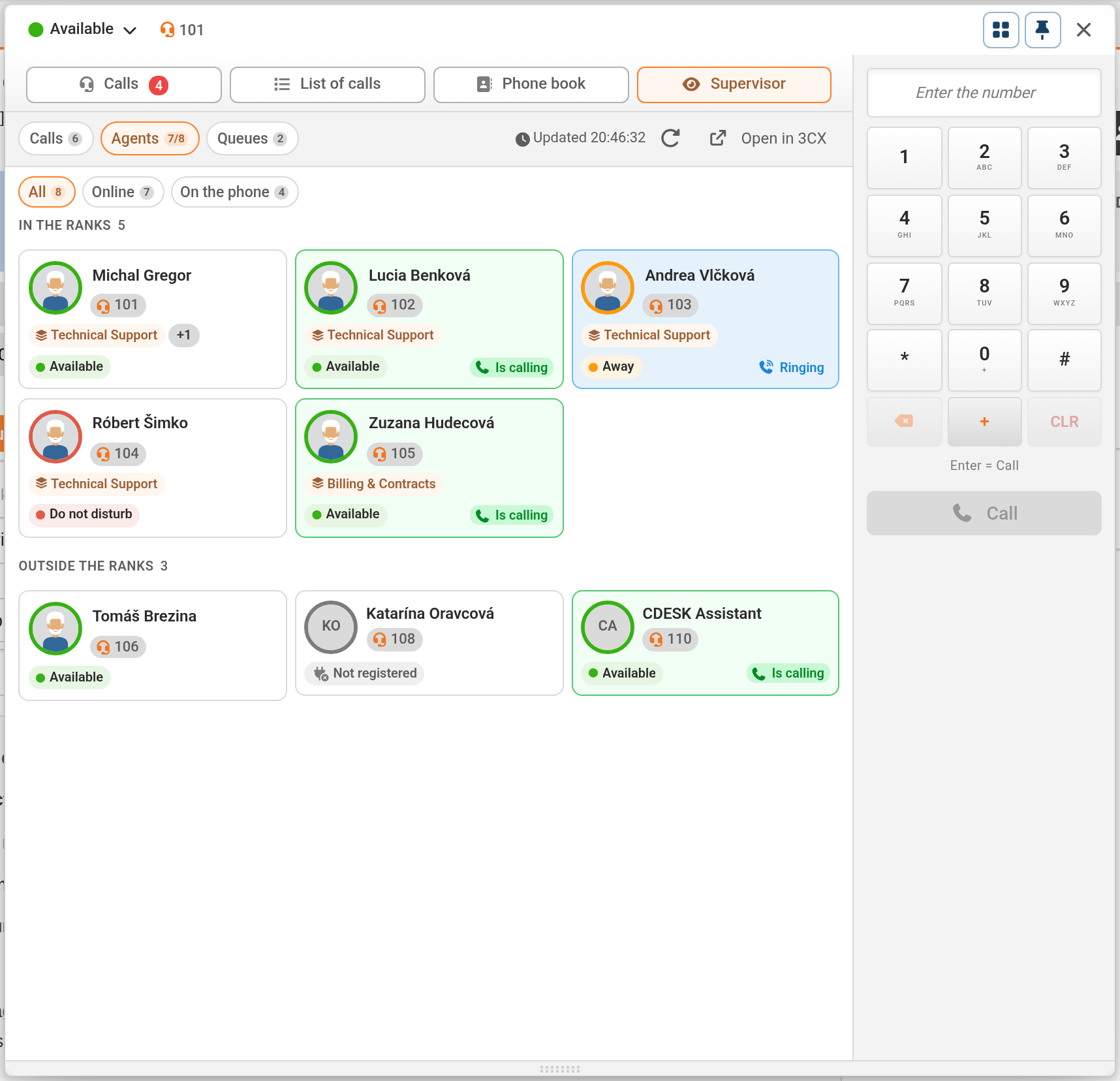
Agents – all extensions in the ‘In Queues’ and ‘Out of Queues’ blocks, filtered by ‘All’, ‘Online’ and ‘On a call’ (including ringing calls).
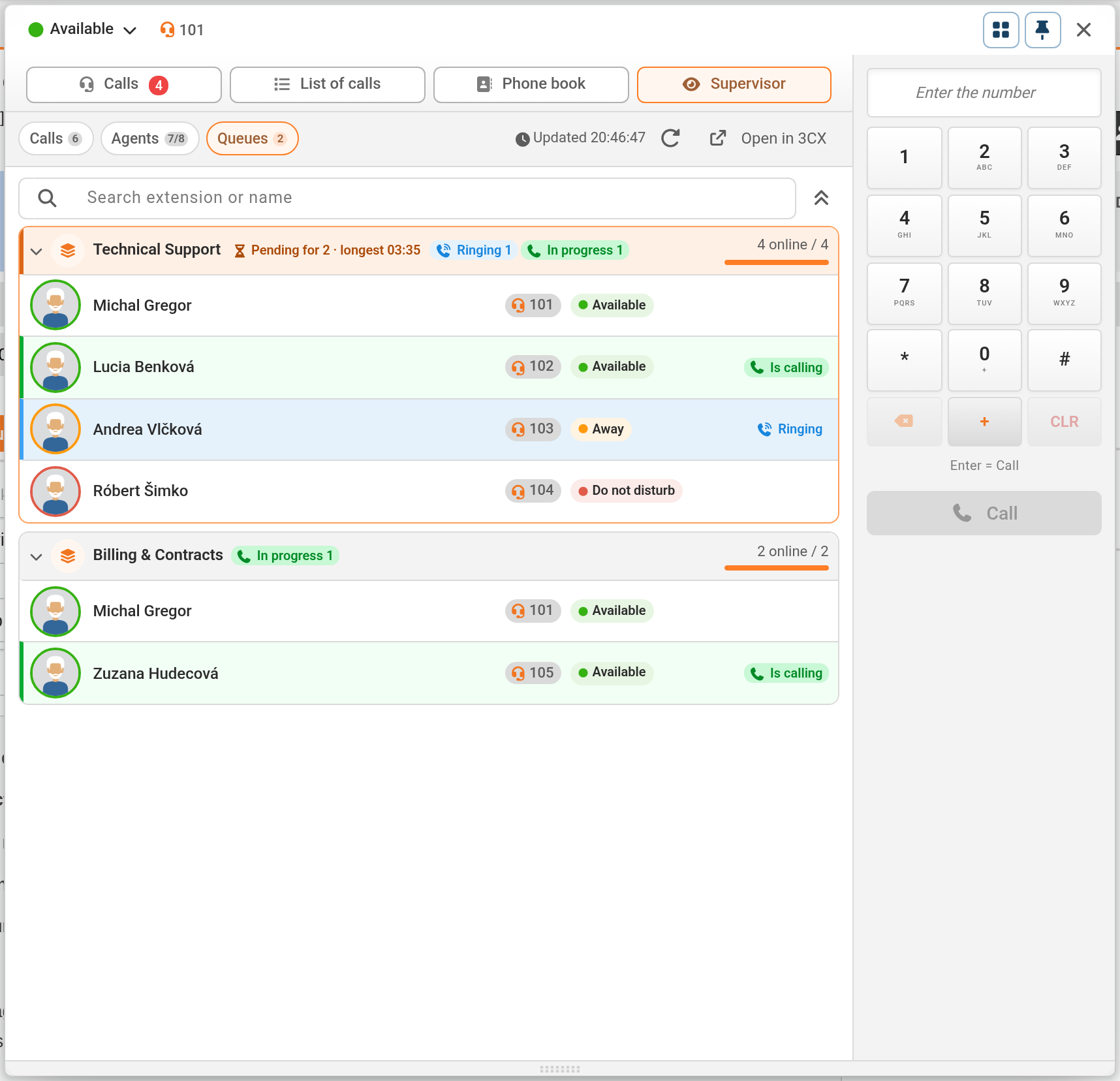
Queues – queue cards showing waiting, ringing and active calls, as well as online agents. A queue can be collapsed, and agents can be searched for by extension or name.
Call data is refreshed every time a call changes and at least every 15 seconds whilst the tab is open (the ‘Updated’ time and the ‘Renew’ button are displayed in the toolbar). Extension statuses are taken from 3CX with a delay of up to one minute. This mode is for overview purposes – listening in, whispering or joining a call are available in 3CX, which can be accessed via the ‘Open in 3CX’ button (opens the 3CX panel with live calls in a new tab). If the PBX does not respond, a red bar provides a warning that only calls intercepted by CDESK are displayed.
The ‘Open in 3CX’ link does not lead to a specific call – the supervisor selects it themselves in 3CX, and if they are not logged in to 3CX, 3CX will prompt them to log in. Whether they can join a call is determined by their role in 3CX: by default, for example, the Department Administrator and System Administrator roles can see the tab in CDESK but cannot listen in on the call in 3CX. However, a 3CX administrator can grant them authorization to listen in, whisper or join the call within 3CX.
Extensions without an assigned user and extensions that are not selected by the API client in 3CX are not monitored by CDESK in real time – they are selected with an antenna icon, and data regarding them is received from 3CX with a delay, out of queue (in the ‘Out of Queue’ group) and with only the caller’s number. Callers in the waiting queue are counted as waiting until someone answers the call, even if the call is already ringing at an agent’s desk.
Home VoIP (3CX) Using your mobile phone Supervisor mode
Na tejto stránke