


Protocols used to remove an item from the asset register. You can find the protocols in the main menu under Asset Register → Disposal protocols.
Disposal protocols work the same way as handover protocols. You can create a protocol by clicking the + Add button in the upper-right corner of the screen. The form contains the following fields:
- Name – option to enter the report name. If the name is left blank when saving the log, a name will be automatically generated from the items being removed.
- Note in the log – option to add a note that will also be displayed in the log.
- Reason for removal – option to specify the reason why the item needs to be removed
- Company – the company to which the item is assigned
- Person responsible for transfer – the person responsible for transferring the item being disposed of
- Disposal date – the date on which the item will be removed from the asset register
Items on the protocol
Selecting items for the protocol works on the same principle as selecting columns in lists. From the right-hand asset list, use the left arrow to select the items to be recorded on the disposal protocol.
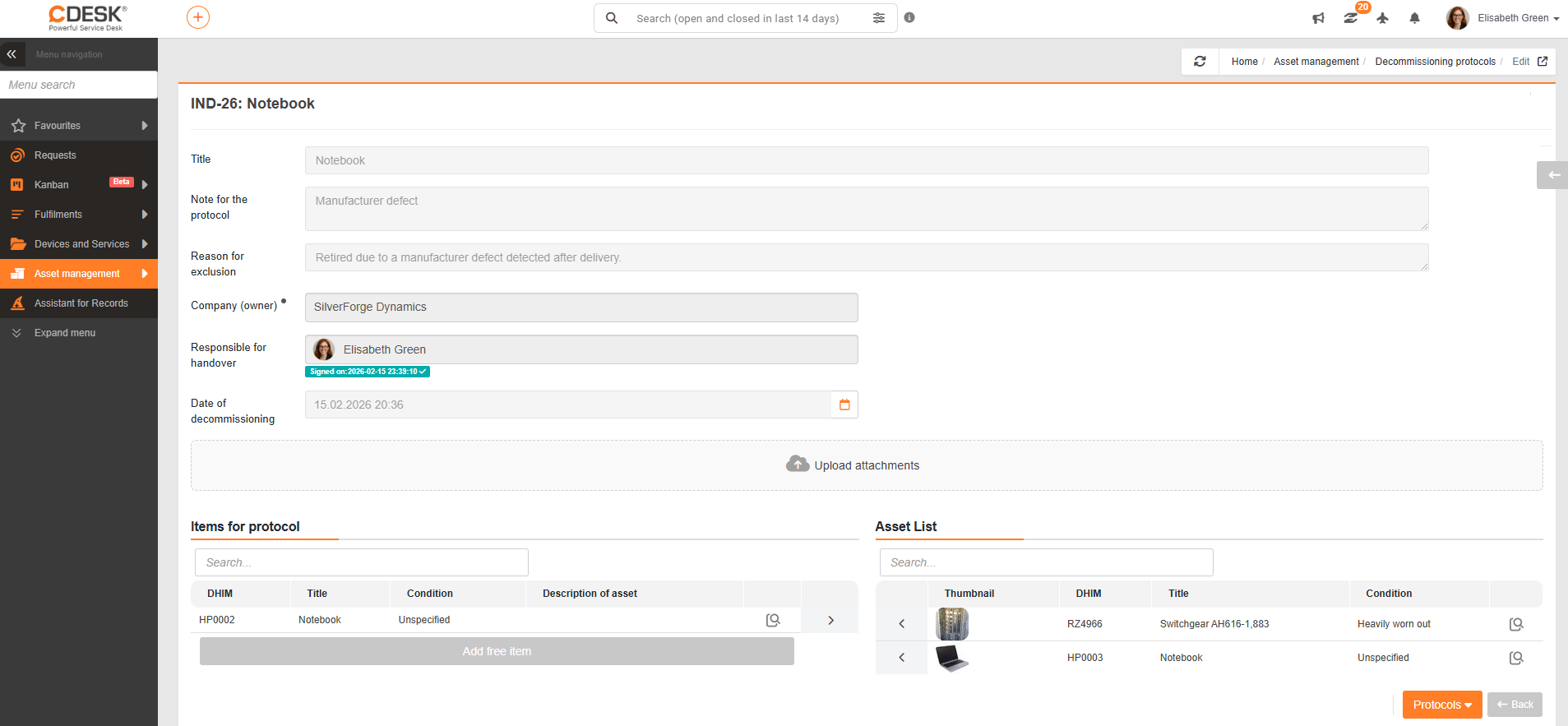
If you need to remove an item that is not listed in the asset register, you can use the Add free-form item button. Enter the name of the asset and, if desired, add a description. Confirm the addition of the free-form item by clicking the “✓” button at the end of the line. To delete a free-form item, click the “X” button at the beginning of the line.
Printing and signing the protocols works the same way as with the handover protocol.