


Beta verzia novej dokumentácie.
Home Automation via API Automation via API Access data
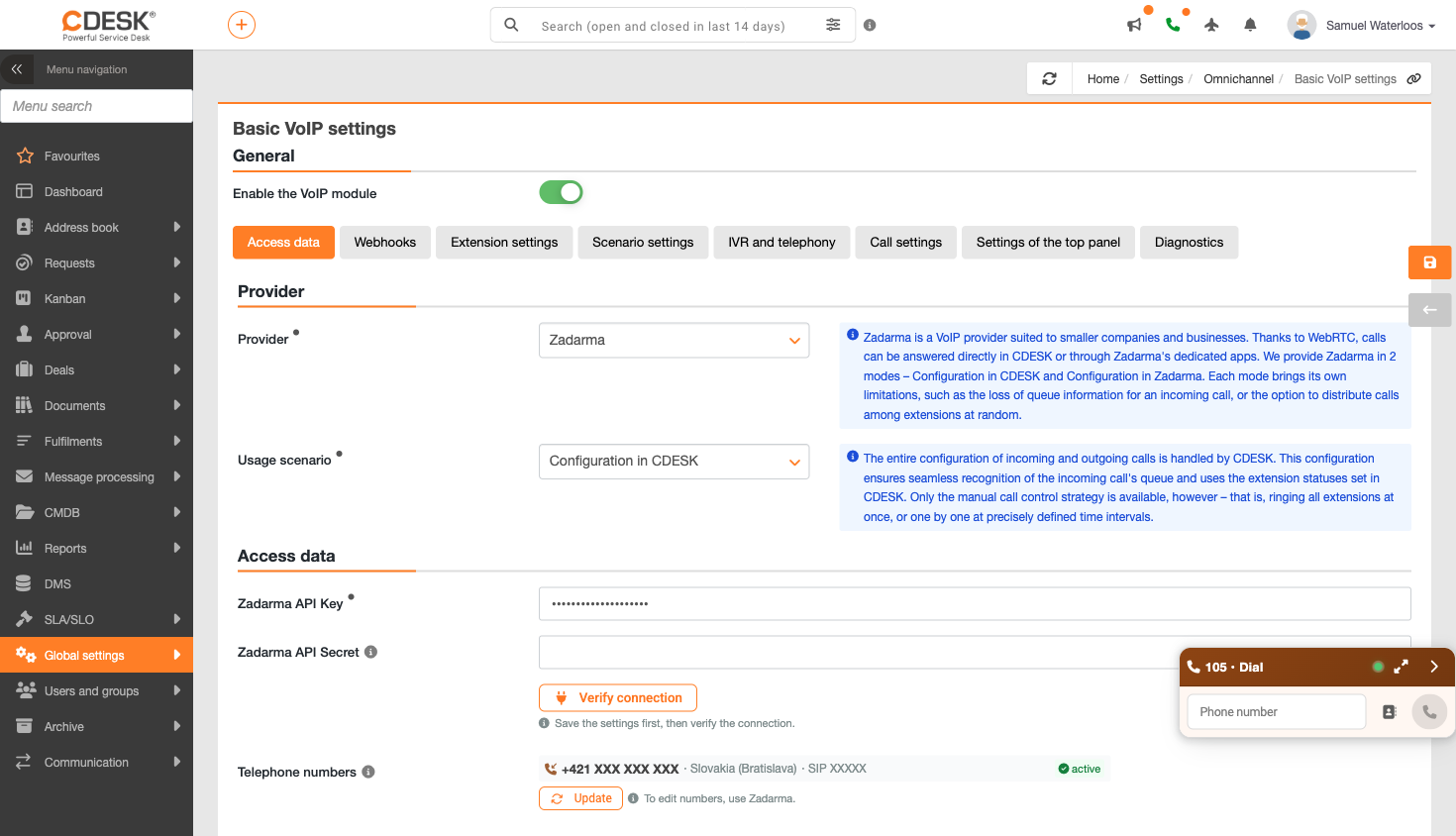
In the ‘Provider’ section, select Zadarma. A description of the provider will be viewed below your selection, followed by a section containing the access data that CDESK needs to communicate with your account.
The list of numbers shows the number, country, SIP and status for each record, and is also designed to accommodate multiple numbers on a single account.
Please note: The connection authentication uses the saved values, not whatever you have currently entered in the field. If you have changed the keys, save the settings first and only then confirm the connection – otherwise, the original value will still be confirmed. A notice appears directly in CDESK to remind you of this: “Save the settings first, then confirm the connection.”
Home Automation via API Automation via API Access data
Na tejto stránke